Kubernetes Overview
The Synthetic app is hosted on AWS Elastic Kubernetes Service (EKS).
General overview of Synthetic's architecture
Environments
Currently, we have two environments: staging and prod.
Both environments are run in the same AKS cluster and in the same namespace.
Infrastructure as Code (IaC)
Both the AWS configuration and the Kubernetes objects are defined in code.
This allows for consistent and repeatable deployments and a declarative source of truth for the intended production state.
Kubernetes setup
The AWS CLI can auto-config your kubconfig for you. Run the following in your terminal:
# After setting up AWS credentials (eg. with `aws sso login`)
aws eks update-kubeconfig --region us-east-1 --name synthetic-eks
Proceed with caution: this enables you to fully edit (and break) production state.
Install K9s
k9s is a useful CLI for working with Kubernetes; it's like the K8s dashboard,
but in your terminal.
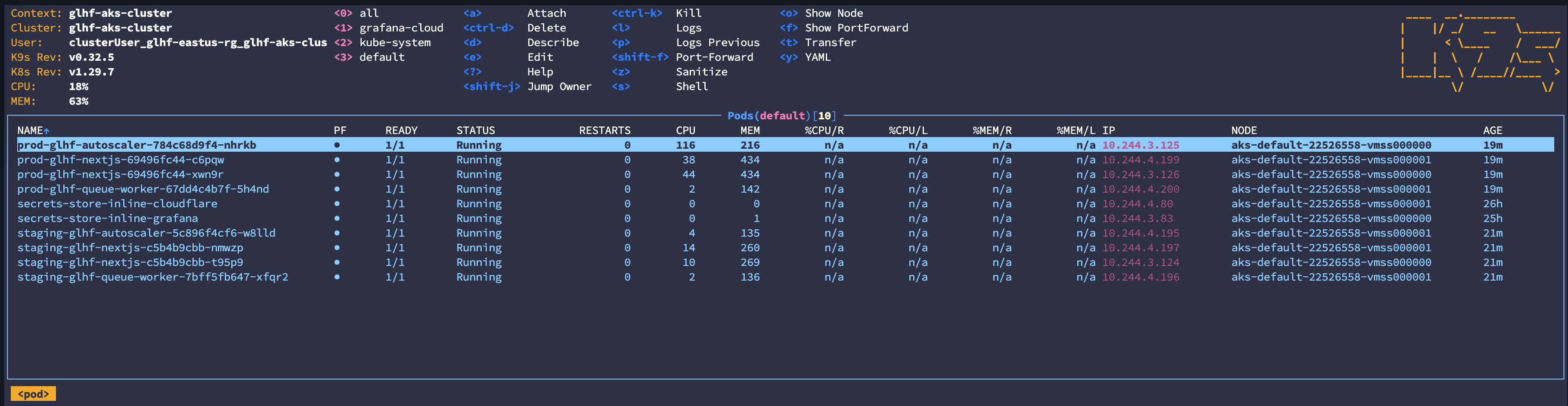
k9s is incredible
On macOS:
brew install k9s
On Ubuntu:
./scripts/install-k9s-deb.sh
On Arch:
sudo pacman -S k9s
K9s Debug Containers
Sometimes it may be useful to get a debug shell for a running container. Kubernetes has this functionality built in. (kubectl debug)
For convenience, you can add this as a keyboard shortcut in k9s with a plugin.
- Run
k9s info - Add the following to your
plugins.yamlfile.
plugins:
  #--- Create debug container for selected pod in current namespace
  # See https://kubernetes.io/docs/tasks/debug/debug-application/debug-running-pod/#ephemeral-container
  debug:
    shortCut: Shift-D
    description: Add debug container
    dangerous: true
    scopes:
      - containers
    command: bash
    background: false
    confirm: true
    args:
      - -c
      - "kubectl --kubeconfig=$KUBECONFIG debug -it --context $CONTEXT -n=$NAMESPACE $POD --target=$NAME --image=nicolaka/netshoot:v0.12 --share-processes -- bash"
- Press
Shift-Dor your configured shortcut in theContainersscope of any Pod.

Note the new Shift-D shortcut.